If you are an insurance agent or agency owner buying leads and relying on phone-based sales, your CRM is the operational backbone of your entire business. A well-configured insurance CRM ensures that every lead is contacted quickly, followed up consistently, and tracked through every stage of your sales pipeline. A poorly set up CRM — or worse, no CRM at all — means leads slip through the cracks, conversions plummet, and your return on lead investment collapses.
This guide walks you through the complete process of setting up a CRM specifically for insurance lead management, covering lead routing, follow-up automation, pipeline design, integrations, and reporting. Whether you are a solo agent processing 50 leads a month or a 50-seat call center handling thousands, these principles apply.
Why Insurance Agents Need a CRM
According to the Insurance Information Institute, the insurance industry has seen a significant shift toward digital lead generation and online consumer engagement. Managing this digital pipeline without a CRM is like running an agency without a phone — technically possible, but competitively suicidal.
Here is what a CRM solves for insurance agents:
- Speed-to-contact: Studies consistently show that contacting a lead within 5 minutes of submission increases conversion rates by 400% compared to waiting 30 minutes. A CRM with automated alerts and lead routing makes this possible.
- Consistent follow-up: The average insurance sale requires 5-8 contact attempts. Without a CRM tracking each attempt and scheduling the next, most agents give up after 1-2 tries and waste 60-80% of their lead investment.
- Pipeline visibility: At any moment, you need to know how many leads are in each stage, what your conversion rates are, and where deals are stalling. This is impossible with spreadsheets and sticky notes.
- Compliance tracking: Insurance regulations require documentation of contacts, disclosures, and consent. A CRM provides the audit trail you need if questions arise.
- ROI measurement: To know which lead sources are profitable, you must track cost-per-lead, close rates, and policy value by source. A CRM is the only way to do this accurately at scale.
Key CRM Features for Insurance Lead Management
Not every CRM is suited for insurance. When evaluating platforms, prioritize these features:
- Lead capture and import: The CRM should accept leads via API, email parsing, CSV upload, and web form integration. Real-time API integration with your lead providers is essential for speed-to-contact.
- Automated lead routing: The ability to automatically assign incoming leads to agents based on rules: state licensing, product specialty, availability, round-robin, or weighted distribution.
- Multi-channel communication: Built-in calling, SMS, and email capabilities (or integrations with platforms like Twilio, RingCentral, or SendGrid) so all communication is logged in one place.
- Workflow automation: Trigger-based automations that send emails, schedule tasks, update lead status, or send alerts based on lead actions or time-based rules.
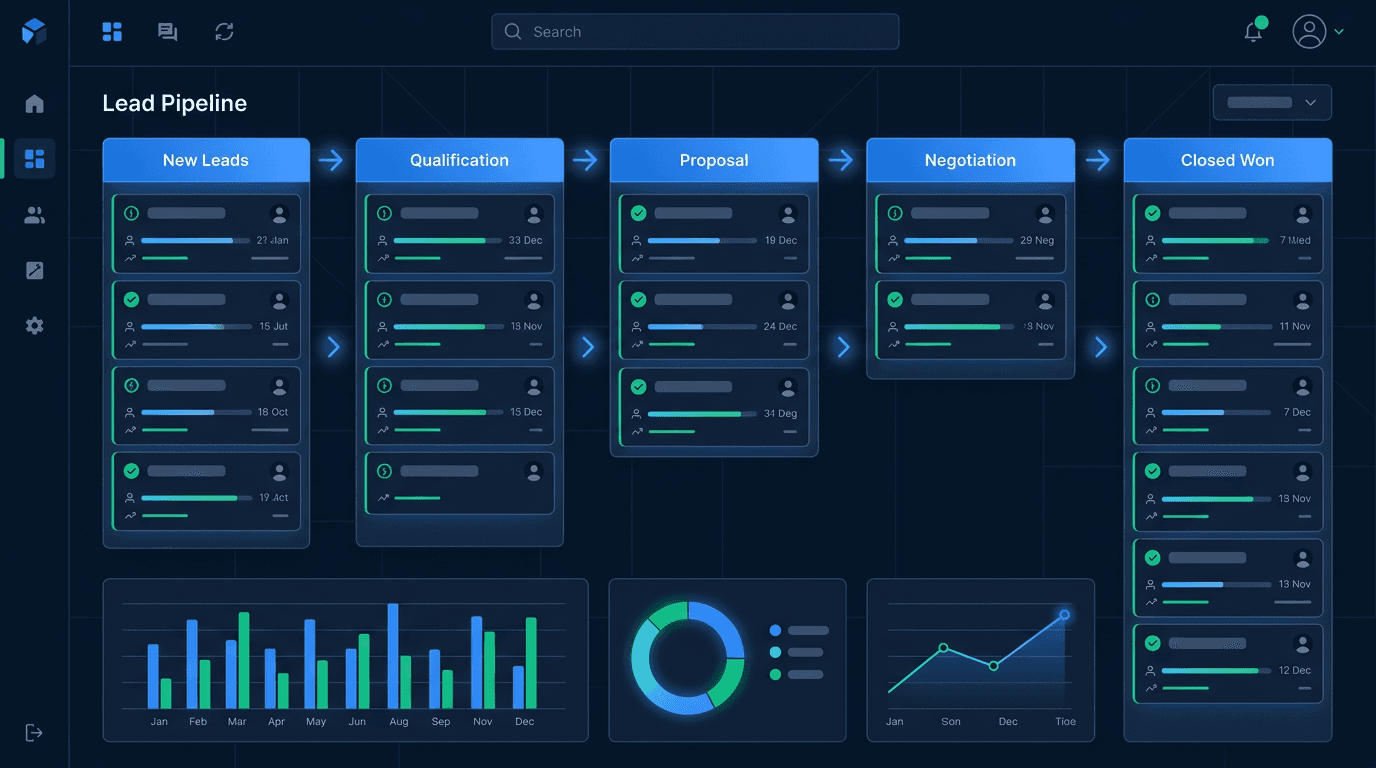
- Pipeline management: Customizable pipeline stages with drag-and-drop interface, stage-specific automations, and aging alerts for stalled leads.
- Compliance tools: DNC list management, consent tracking, TCPA scrubbing integration, call recording storage, and audit trail generation.
- Reporting and analytics: Customizable dashboards showing conversion rates by source, agent performance, pipeline value, speed-to-contact metrics, and ROI calculations.
- Insurance-specific fields: Custom fields for policy type, carrier, premium, commission, effective date, and renewal date.
Setting Up Lead Routing and Distribution
Lead routing is the first critical automation to configure. The moment a lead enters your CRM, it should be assigned to the right agent without any manual intervention. Here is how to design your routing logic:
Round-Robin Distribution
The simplest approach: leads are distributed evenly across available agents in rotation. This works well for teams where all agents handle the same products and geographies. Configure your CRM to skip agents who are offline, on break, or at their daily lead cap.
Skills-Based Routing
For agencies selling multiple products (Medicare, life, auto, home), route leads based on the agent's licensing and expertise. A Medicare lead should go to a Medicare-licensed agent, not your auto specialist. Set up routing rules that match lead attributes (product type, state) to agent qualifications.
Performance-Based Routing
Advanced agencies route more leads to higher-performing agents. If Agent A closes at 15% and Agent B closes at 8%, weighting the distribution 2:1 in Agent A's favor maximizes total conversions. Most enterprise CRMs support weighted distribution rules.
Geographic Routing
For agencies with agents licensed in different states, route leads by state to ensure the responding agent is properly licensed. This is particularly important for insurance, where selling without a license in the consumer's state is a regulatory violation.
Follow-Up Automation Workflows
Automation is where a CRM transforms from a digital Rolodex into a sales engine. Here are the essential workflows every insurance agency should configure:
Immediate Response Workflow
When a new lead enters the CRM: (1) Assign to agent via routing rules. (2) Send an automatic SMS: "Hi [Name], this is [Agent] from [Agency]. I received your request for an insurance quote. I'll be calling you shortly." (3) Trigger a screen pop or alert on the agent's phone/desktop. (4) If no call attempt within 2 minutes, escalate to the next available agent or team lead.
Multi-Touch Follow-Up Sequence
For leads not reached on the first attempt, trigger an automated cadence: Day 0 — 3 call attempts spaced 30 minutes apart, plus email. Day 1 — 2 call attempts plus SMS. Day 2 — 1 call plus email with quote information. Day 3 — SMS. Day 5 — Email with value proposition. Day 7 — Final call and "last chance" email. Day 14 — Re-engagement email. This sequence should be fully automated, with each step triggering only if the previous did not result in contact.
Post-Quote Follow-Up
After presenting a quote, a separate automation should handle follow-up: a thank-you email immediately after the call, a follow-up call scheduled for 48 hours, a comparison summary email on day 3, and a "still deciding?" touchpoint on day 7.
Designing Your Insurance Sales Pipeline
Your pipeline stages should mirror the actual insurance sales process. Here is a proven pipeline structure for insurance lead management:
- New Lead: Lead has entered the CRM but no contact attempt has been made. Target: exits this stage within 5 minutes.
- Contact Attempted: Agent has made at least one contact attempt but has not reached the prospect. Automation continues follow-up sequence.
- Contacted: Agent has spoken with the prospect and confirmed their interest. Initial needs assessment has been started.
- Quoted: Agent has presented one or more coverage options and pricing. The prospect is evaluating the quote.
- Application Submitted: The prospect has agreed to a plan and the application has been submitted to the carrier.
- Policy Issued: The carrier has approved and issued the policy. Commission is anticipated.
- Closed Lost: The lead did not result in a sale. Subcategories: not interested, went with competitor, could not contact, did not qualify.
- Nurture: Not ready to buy now, but may be in the future. Moved to a long-term drip campaign.
Configure your CRM to automatically calculate the time each lead spends in every stage and alert managers when leads stall. A lead sitting in "Quoted" for more than 7 days without follow-up action should trigger an escalation.
Integrating With Lead Providers
The connection between your lead provider and your CRM is the most time-sensitive integration in your entire tech stack. Every minute between lead generation and CRM entry is a minute of lost speed-to-contact. Here are the integration methods ranked by speed:
- Real-time API (best): Leads are posted directly to your CRM via API the instant they are generated. Delivery time: under 5 seconds. This is the gold standard for purchased insurance leads.
- Email parsing (acceptable): Leads are delivered by email and your CRM parses the email to create a lead record. Delivery time: 30-120 seconds depending on email delivery speed.
- CSV upload (emergency only): Leads are delivered in a file that you manually upload. This destroys speed-to-contact and should only be used as a temporary fallback.
When setting up integration, map every lead field to the corresponding CRM field: name, phone, email, state, product interest, and any supplemental data. Ensure your lead provider's system can pass a source identifier so you can track ROI by provider.
Reporting Dashboards and KPIs
Your CRM's reporting dashboard is your agency's control panel. Configure these essential reports:
- Speed-to-contact report: Average time from lead receipt to first contact attempt. Target: under 5 minutes for real-time leads.
- Contact rate by source: Percentage of leads successfully contacted, broken down by lead provider and lead type.
- Conversion rate by stage: How many leads advance from each pipeline stage to the next. Identify where the biggest drop-offs occur.
- Agent performance scorecard: Calls made, contacts achieved, quotes presented, policies closed, and close rate — per agent, per day/week/month.
- Lead source ROI: Total spend, leads received, policies closed, premium written, and commission earned — per lead source. This is the most important report for budget allocation decisions.
- Pipeline velocity: Average time from new lead to policy issued. Track this by product type and lead source to identify the fastest paths to revenue.
Schedule automated report delivery: daily agent scorecards, weekly pipeline summaries, and monthly ROI analyses. Data-driven management is the difference between agencies that scale and agencies that stall. The NAIC also publishes industry benchmarking data that can help you compare your performance against broader market averages.
Top CRM Recommendations for Insurance Agents
Based on extensive evaluation across hundreds of insurance agencies, here are the top CRM platforms for insurance lead management in 2026:
For Solo Agents and Small Teams (1-5 Agents)
- Agency Zoom (now Zywave): Purpose-built for insurance agents, with pre-configured pipeline stages, carrier integrations, and commission tracking. Pricing starts at approximately $25/month per user.
- HubSpot CRM (Free Tier): A strong general-purpose CRM with excellent email tracking and a free tier that supports up to 1 million contacts. Custom pipeline stages and basic automation are included free.
- Radiusbob: Insurance-specific CRM with built-in VoIP dialing, SMS, email marketing, and lead vendor integrations. Designed specifically for insurance agents at a competitive price point.
For Mid-Size Agencies (5-25 Agents)
- Salesforce Financial Services Cloud: The industry standard for customer relationship management, with extensive customization, automation, and a vast app marketplace. Requires more setup time but scales indefinitely.
- Pipedrive: A sales-focused CRM with visual pipeline management, automation capabilities, and strong third-party integrations. Popular with insurance teams that prioritize pipeline visibility and simplicity.
For Large Agencies and Call Centers (25+ Agents)
- Velocify (now ICE Mortgage Technology): Originally built for mortgage lead management, Velocify's speed-to-lead routing and prioritization engine is equally powerful for high-volume insurance operations.
- iLife Technologies: A modern CRM built specifically for life and health insurance with quoting tools, e-apps, and lead distribution built in.
CRM Implementation Timeline
A realistic timeline for implementing a CRM in an insurance agency:
- Week 1: Select CRM platform, set up account, configure custom fields and pipeline stages.
- Week 2: Integrate with lead providers, set up lead routing rules, configure user permissions and roles.
- Week 3: Build follow-up automation workflows, create email and SMS templates, configure reporting dashboards.
- Week 4: Train agents and staff, run test leads through the system, refine workflows based on feedback.
- Week 5-6: Go live with real leads, monitor performance daily, adjust routing and automations as needed.
- Month 2-3: Optimize based on data — refine follow-up cadences, adjust routing weights, add advanced automations.
Common CRM Setup Mistakes to Avoid
After working with hundreds of agencies on CRM implementation, these are the most common and costly errors:
- Over-engineering from day one: Start with the basics — lead routing, follow-up automation, pipeline tracking. Add complexity only as you identify specific needs. Agencies that try to build the perfect system before launching often never launch at all.
- Not integrating lead sources in real-time: Every minute of delay between lead generation and first contact attempt costs you conversions. Prioritize real-time API integration above almost everything else.
- Ignoring data hygiene: Duplicate records, inconsistent field entries, and missing data corrupt your reporting. Establish data entry standards from day one and use validation rules to enforce them.
- Failing to track lead source ROI: Without accurate source tracking, you cannot allocate your budget effectively. Tag every lead with its source and cost from the moment it enters your CRM.
- Not training the team: Contact us or invest in proper training. The best CRM in the world is worthless if your agents do not know how to use it. Budget at least 4-8 hours of hands-on training per agent during the first month.
- Setting and forgetting automations: Automations need regular review and optimization. A follow-up sequence that worked three months ago may need adjustment based on new data about contact times, message content, or cadence timing.
How Do Insurance CRM Platforms Compare? Detailed Breakdown
Choosing the right CRM for your insurance agency depends on team size, budget, automation needs, and integration requirements. The following comparison table — informed by industry analysis from LIMRA and NAIFA member feedback — breaks down the leading platforms used by insurance professionals in 2026:
| CRM Platform | Best For | Insurance Integration | Price Range | Key Feature |
|---|---|---|---|---|
| Salesforce Financial Services Cloud | Mid-size to large agencies (10+ agents) | Extensive — carrier APIs, quoting tools, AppExchange marketplace | $75–$300/user/mo | Unlimited customization and enterprise-grade automation workflows |
| HubSpot CRM | Solo agents and small teams on a budget | Good — API integrations, Zapier connectors, email parsing | Free–$50/user/mo | Free tier with up to 1M contacts; built-in email tracking and sequences |
| AgencyBloc | Life and health insurance agencies | Purpose-built — commission tracking, policy management, carrier downloads | $70–$150/user/mo | Automated commission processing and agent hierarchy management |
| Zoho CRM | Cost-conscious agencies wanting full-suite tools | Moderate — custom modules, API access, telephony integrations | $14–$52/user/mo | Full business suite (email, invoicing, analytics) at competitive pricing |
| Radiusbob | Insurance agents needing built-in dialer and SMS | Strong — lead vendor integrations, VoIP, drip campaigns | $34–$68/user/mo | All-in-one dialer, SMS, email marketing, and lead management for insurance |
| Pipedrive | Sales-focused teams prioritizing visual pipeline | Moderate — marketplace integrations, API, Zapier | $15–$99/user/mo | Intuitive drag-and-drop pipeline with AI-powered activity suggestions |
Which CRM Is Best for Insurance Lead Management?
The best CRM for insurance lead management depends on your agency's size, budget, and operational complexity. For solo agents and small teams processing fewer than 200 leads per month, HubSpot CRM's free tier or Radiusbob offer the best balance of insurance-specific features and affordability. For mid-size agencies with 5-25 agents, Salesforce Financial Services Cloud and AgencyBloc provide the customization, automation depth, and carrier integrations needed to manage complex workflows. If your primary need is cost-effective lead tracking with built-in communication tools, Zoho CRM delivers strong value. The critical factor is not which CRM you choose — it is how well you configure lead routing, follow-up automation, and source tracking. A $14/month Zoho instance configured properly will outperform a $300/month Salesforce deployment that lacks automated follow-up sequences and real-time InsureLeads integration.
How Long Does CRM Setup Take for an Insurance Agency?
A realistic CRM implementation timeline for an insurance agency ranges from four to eight weeks depending on team size and complexity. Week one focuses on platform selection, account setup, and configuring custom fields for insurance-specific data (policy type, carrier, premium, commission). Week two covers lead provider integration — connecting your InsureLeads API feed for real-time delivery — and routing rule configuration. Week three is dedicated to building follow-up automation workflows, email and SMS templates, and reporting dashboards. Week four involves agent training (budget 4-8 hours per person) and live testing with real leads. Agencies with 25+ agents or complex multi-state routing requirements should allow an additional two to four weeks for role-based permissions, advanced reporting, and integration testing. The NAIC recommends that agencies document their CRM compliance configurations as part of their market conduct readiness protocols.
Your CRM is not just software — it is the operating system of your insurance sales practice. Invest the time to set it up properly, and it will multiply your conversion rates, reduce lead waste, and provide the data foundation for intelligent, scalable growth.